
Business Automation
Replace repetitive manual work — copying data, chasing approvals, sending reminders — with automations that run on their own, reliably.

In most companies, hours every week go to work a computer could do: copying orders from one system to another, building the same report every Monday, reminding people about approvals and chasing missing documents.
We find those tasks and automate them, so your team spends its time on the work that needs a person.
What we automate
- Data moving between tools: website forms into your CRM, orders into your accounting system, stock updates between branches.
- Reports built and sent automatically every day or week.
- Reminders and follow-ups: overdue invoices, expiring contracts, missed tasks.
- Approvals that route themselves to the right person and record the decision.
- Document processing: turning invoices, forms and emails into structured data, with AI where it helps.
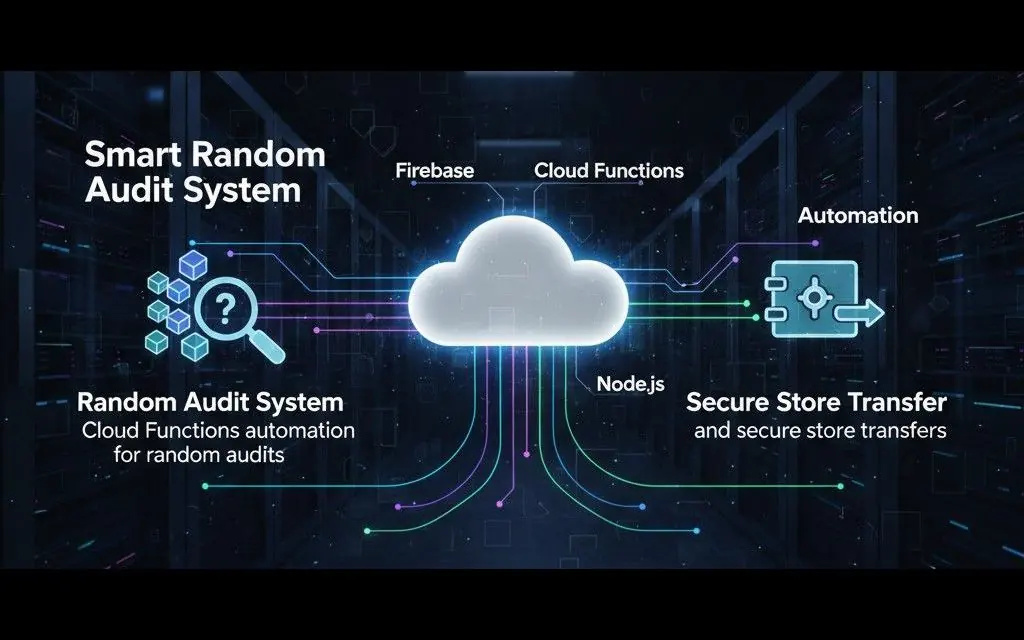
- Scheduled checks and alerts, like the random audits and secure store transfers in Random Audit.
Reliable, not fragile
An automation nobody trusts gets switched off. Every automation we build includes:
- Logs of what ran, when, and what it did.
- Alerts when something fails, sent to the right person.
- A human in the loop for decisions with real consequences — the system prepares, a person approves.
- Clear ownership, documented so your team knows what runs and why.
How an automation project runs
- Find the time sinks. We list the repetitive tasks and estimate the hours each one costs.
- Pick the first win. High volume, low risk, easy to measure.
- Build and run it alongside the manual process until the results match.
- Switch over and move to the next task.
For Saudi and UAE businesses
For businesses in Saudi Arabia and the UAE, we automate the same routine work in Arabic and English: invoices and receipts turned into data, reports sent on schedule, reminders and approvals. With e-invoicing deadlines approaching in both countries, clean invoice data is a good place to start. See reading Arabic invoices and receipts with AI and where each GCC country stands on e-invoicing; see also our pages for Saudi Arabia and the UAE.
From first call to launch
The steps above decide what to automate. Each automation is then delivered in the same five stages we use for every project:
- Discover. We look at how the task is done today: which tools and files are involved, who approves, and where it goes wrong.
- Plan. We write down the trigger, the steps, the rules and who gets alerted, and agree it with you before building.
- Design. We design the parts people touch: approval screens, report layouts, and the reminders and messages they receive.
- Build. We connect your tools and run the automation alongside the manual process until the results match. You see a working build every one to two weeks.
- Launch. We switch over, watch the logs and alerts, and adjust the automation as your process changes.
What automation costs
Projects start from $200 (about SAR 750 / AED 735), and the final price depends on scope, with a fixed written quote after a free call. For automation, the price depends mainly on:
- How many workflows you automate, and how many steps and rules each one has.
- How many tools are connected, and whether they have a documented API. A tool with an API is quicker to connect than one that only exports files.
- Document processing: reading invoices or forms with AI adds a small running cost per document.
- Approvals and exceptions: every special case the process has to handle adds work.
Most businesses start with one high-volume workflow and add the next once the first one pays off. Our guide to business automation for small and medium businesses shows where to start.
What you get at handover
- Your code and accounts: the automation code and any cloud accounts it runs on are yours.
- Deployment where you choose: the automations run with the hosting provider and in the region you choose.
- Documentation of what each automation does, when it runs and who it alerts.
- Maintenance and support after launch: when a connected tool changes, we update the automation, and we can add the next workflows when you are ready.
Frequently asked questions
Do we need new software to automate?
Usually not. Most automations connect the tools you already use — your accounting package, CRM, spreadsheets, email and WhatsApp.
What if an automation makes a mistake?
Each automation logs its actions and alerts someone when a step fails. For important decisions, we keep a person approving the final step.
How quickly can we see results?
A first automation is often running within two to four weeks, and the time saved is visible immediately.
Who maintains the automations after launch?
We can. Connected tools change over time, so we watch the logs and alerts, fix what breaks and update the automation when your process changes. If you prefer, your own team can take it over using the documentation.
Can you fix automations someone else built?
Yes. Whether it is a script, a spreadsheet macro or a no-code workflow, we audit what exists, fix it or rebuild the fragile parts, and then maintain it.
Do automations work with Arabic documents and messages?
Yes. We build automations that read and send Arabic and English, including invoices, forms, emails and WhatsApp messages.
Work we've delivered
Guides on this topic
Business automation for small and medium businesses
What automation means for an SME that runs on WhatsApp, Excel and paper: which process to automate first, ready-made tools or custom, and the risks.
Read articleWhatsApp Business API pricing: what you actually pay
The WhatsApp Business API is paid per delivered message. Meta's rates for Saudi Arabia, the UAE, Egypt, Germany and France, and what stays free.
Read articleSeven workflows every retail business should automate first
Ranked by payback, not by how impressive they sound — with the hours each one typically returns and what it takes to set up.
Read articleOther services
Custom Software
Business systems built around your exact requirements, not a template stretched to fit.
Web Development
Fast, responsive, conversion-focused websites and web applications.
Mobile Applications
Modern cross-platform apps for iOS and Android connected to real backends.
Business Systems
POS, inventory, HR, dashboards and internal management systems.
IoT Solutions
Connect physical devices, sensors and software into one system.
AI Solutions
Integrate AI into real business workflows where it adds genuine value.
API & Backend
Secure, scalable APIs and backend infrastructure your product runs on.
Want something like this?
Tell us what you're building and we'll turn it into a real, working product.